找到
111
篇与
建站相关
相关的结果
- 第 9 页
-
 自媒体博客Spimes主题 X7.0 主题介绍 spimes主题专为博客、自媒体、资讯类的网站设计开发,自适应兼容手机、平板设备。一款简约新闻自媒体类的 typecho 主题,设计上简约、干净、精致、响应式,后台设置更是强大而且实用的新闻自媒体类主题。 PS:5.0版本改动比较多,如不必要建议不要更新版本,具体改动内容如同演示站所示哦 新版本发布,启用主题后,点击面板小灯泡logo主题检测按钮,进行主题配置修复!!!! 注意,版本升级之前一定要记得备份!!!!万一失败了呢 注意,版本升级之前一定要记得备份!!!!万一失败了呢 2024.2.6 版本x7.0。(删减大部分不常用的功能,尽量轻简优化主题,修改了头像功能,不在使用qq头像,添加了ai生文功能,比如chatgpt,百度文心一言,ai客服功能) 主题声明 主题初衷:搭建一款typecho门户资讯自媒体主题,以推广,营销为主的平台 lt133e1e.png图片 前端功能 响应式设计,兼容手机和平板等移动设备; 多样化的用户等级成长标志 页面风格的多种切换,配置 支持白天夜间模式切换,前台控制; 高级菜单功能; 文章分享、阅读模式功能; 新主题内置HTML5视频播放器,可支持HLS协议M3U8格式; HTTPS优化,全面支持HTTPS网站; 部分导航pjax 主题添加了OWO表情,方便用户自定义添加表情包 多种广告位添加 强大的SEO优化效果,栏目自定义标题,文章内链,关键字的规划,配合熊掌号,优化效果很显著 文章列表,单图or大图or多图样式,网站风格多样化 后台功能 常规设置 首页设置 广告设置 风格样式 边栏设置 页脚显示 移动设置 SEO配置 优化加速 播放器设置 lt134kwh.png图片 Spimes主题 X7.0 下载地址:https://pan.baidu.com/s/14a8ZgiARMr4xaNEnghob3A 提取码:8s5e Spimes主题 X7.0 下载地址:https://neictop-1256272185.cos.ap-guangzhou.myqcloud.com/2024/02/25/1708840113.rar 提取码:
-
极致CMS文字定时发布插件 将 IndexController.php 放到根目录/app/home/plugins下面 代码如下: <?php // +---------------------------------------------------------------------- // | JiZhiCMS { 极致CMS,给您极致的建站体验 } // +---------------------------------------------------------------------- // | Copyright (c) 2018-2099 http://www.jizhicms.com All rights reserved. // +---------------------------------------------------------------------- // | Author: 留恋风 <2581047041@qq.com> // +---------------------------------------------------------------------- // | Date:2019/01-2019/02 // +---------------------------------------------------------------------- namespace app\home\plugins; use app\home\c\CommonController; use frphp\lib\Controller; class IndexController extends CommonController { function auto(){ //定时发布文章,根据文章发布时间,超过发布时间,则让他显示 $sql=" addtime<=".time(); M('article')->update($sql,['isshow'=>1]); } }然后需要在服务器添加定时任务 访问http://xxxxx/index/auto
-
JS操作HTML页面内容 innerText:普通标签内容(自身文本与所有子标签文本) innerHTML:包含标签在内的内容(自身文本及子标签的所有) value:表单标签的内容 outerHTML:包含自身标签在内的内容(自身标签及往下的所有) <!DOCTYPE html> <html> <head> <meta charset="UTF-8"> <title>JS处理页面内容</title> <style> div { width: 100px; height: 100px; background-color: cyan; margin-top: 15px; } </style> </head> <body> <div class="d1">001</div> <div class="d2">002</div> <div class="d3">003</div> <div class="box"></div> </body> <script> // 先获取页面元素 var d1 = document.querySelector('.d1'); var d2 = document.querySelector('.d2'); var d3 = document.querySelector('.d3'); // ① 操作文本内容 var text = d1.innerText; // 获取内容 console.log(text); // 修改(删除)内容 d1.innerText = ""; d1.innerText = "修改后的文本内容"; // ② 操作子标签 // 获取 var html = d2.innerHTML; console.log(html) // 修改 d2.innerHTML = "<b>加粗的文本</b>"; // 可以解析html语法的代码 // d2.innerText = "<b>加粗的文本</b>"; // 了解 console.log(d2.innerHTML); // 只是标签内部的子标签与子内容 console.log(d2.outerHTML); // 不仅包含标签内部的子标签与子内容,还包含自身标签信息 // ③ 操作页面样式 // 获取 ?? var bgColor = d3.style.backgroundColor; // 只能获取行间式 console.log(bgColor); // 修改 d3.style.backgroundColor = "yellow"; // 只能修改行间式 // 问题: 那用内联外联设置的样式如何获取 // 内联与外联设置的样式叫: 计算后样式 // getComputedStyle(目标标签, 伪类(null填充)).具体的样式 bgColor = window.getComputedStyle(d3, null).backgroundColor; // 兼容性较差 console.log(bgColor); // 可以获取计算后样式, 也可以获取行间式, 但它为只读 bgColor = getComputedStyle(d3, null).getPropertyValue('background-color'); // 兼容性较好 console.log(bgColor); // 一些不常用的属性会出现浏览器之间的兼容问题, 通过添加前缀来处理 console.log(d3.style); // chrome: -webkit- // ie: -ms- // opera: -o- </script> <script> // 需求: box的颜色通过点击在cyan与red之间切换 var box = document.querySelector('.box'); box.onclick = function () { var bgColor = getComputedStyle(this, null).backgroundColor; console.log(bgColor); // 要注意计算后样式获取的结果, 以及结果具体的字符串格式 if (bgColor == 'rgb(0, 255, 255)') { this.style.backgroundColor = 'red'; } else { this.style.backgroundColor = 'cyan'; } } </script> </html>JS操作页面样式 读写style属性样式 div.style.backgroundColor = 'red'; 1.操作的为行间式 2.可读可写 3.具体属性名采用小驼峰命名法只读计算后样式 推荐 getComputedStyle(页面元素对象, 伪类).getPropertyValue('background-color'); 不推荐getComputedStyle(页面元素对象, 伪类).backgroundColor;// IE9以下 页面元素对象.currentStyle.getAttribute('background-color'); 页面元素对象.currentStyle.backgroundColor; 1.页面元素对象由JS选择器获取 2.伪类没有的情况下用null填充 3.计算后样式为只读 4.该方式依旧可以获取行间式样式 (获取逻辑最后的样式)结合 css 操作样式 页面元素对象.className = ""; // 清除类名 页面元素对象.className = "类名"; // 设置类名 页面元素对象.className += " 类名"; // 添加类名实例1,JS事件控制标题栏 <!DOCTYPE html> <html> <head> <meta charset="UTF-8"> <title>js事件控制标题栏</title> <style> .part1 div { width: 100px; height: 30px; text-align: center; line-height: 30px; float: left; cursor: pointer; } .part1 { overflow: hidden; } h2 { height: 30px; background-color: cyan; } </style> </head> <body> <div class="part1"> <div class="b1">标题栏</div> <div class="b2">标题栏</div> <div class="b3">标题栏</div> <div class="b4">标题栏</div> </div> <h2></h2> </body> <script> /* var b1 = document.querySelector('.b1'); // 鼠标悬浮事件 b1.onmouseenter = function () { console.log("鼠标悬浮上了"); // 悬浮上后,该标签的字体颜色变化橘色 this.style.color = "#FF6700"; } // 需求并非为鼠标移走,去除颜色 b1.onmouseleave = function () { this.style.color = "#000"; } */ </script> <script> // 制作数据 var data = ["标题1", "标题2", "标题3", "标题4"]; var divs = document.querySelectorAll('.part1 div'); console.log(divs); // 循环绑定 => 会出现变量(i)污染 for (let i = 0; i < divs.length; i++) { divs[i].onmouseenter = function () { // 打印自身索引值 console.log(i); // 将自身颜色变为橘色,其他兄弟颜色变为黑色 // 就是i为橘色, 非i为黑色 changeColor(i); // 悬浮内容 changeContent(i) } } // console.log(i); // 自定义的修改颜色的方法 function changeColor(index) { for (let i = 0; i < divs.length; i++) { // 先不管三七二十一,全改成黑色 divs[i].style.color = "black"; // 如果是目标选中标签,它的颜色再重新设置为橘色 if (i == index) { divs[i].style.color = "#FF6700"; } } } var h2 = document.querySelector('h2'); // 修改内容 function changeContent(index) { h2.innerText = data[index]; } </script> </html>实例2,JS控制类名 <!DOCTYPE html> <html> <head> <meta charset="UTF-8"> <title>js控制类名</title> <style> .y { width: 100px; height: 100px; background-color: red; border-radius: 50%; } .f { width: 100px; height: 100px; background-color: orange; } .g { display: none; } .ttt { } </style> </head> <body> <ul> <li class="l1">圆</li> <li class="l2">方</li> <li class="l3">滚</li> </ul> <div></div> </body> <script> var box = document.querySelector('div'); var l1 = document.querySelector('.l1'); l1.onclick = function () { box.className = 'y' } var l2 = document.querySelector('.l2'); l2.onclick = function () { box.className = 'f' } var l3 = document.querySelector('.l3'); l3.onclick = function () { box.className = 'g'; // box.className = ""; // 清除类名 // box.className = 'y f'; // box.className += " ttt"; } </script> </html> 事件的绑定与取消 <!DOCTYPE html> <html> <head> <meta charset="UTF-8"> <title>事件的绑定与取消</title> <style> .box { width: 100px; height: 100px; background-color: orange; border-radius: 50%; } </style> </head> <body> <div class="box"></div> <div class="box"></div> <div class="box"></div> <div class="begin">开始</div> <div class="event_on1">事件的绑定1</div> <div class="event_on2">事件的绑定2</div> </body> <script> // 每一个box点击都会toggle颜色, 当颜色都变成黑色, 取消所有点击事件, // 点击开始, 重新获得点击事件(所有状态应该重置) var beginBtn = document.querySelector('.begin'); var boxs = document.querySelectorAll('.box'); // 定义一个count计算器,计黑的个数 var count = 0; // 启动服务 beginBtn.onclick = init; // 开始功能 // function beginAction() { // // 让所有box拥有点击事件 // } // box点击切换颜色 function toggleColor() { // console.log(this) if (this.style.backgroundColor == "orange") { this.style.backgroundColor = "black"; count++; } else { this.style.backgroundColor = "orange"; count--; } // 检测是否需要结束 count == 3 && overAction(); } // 结束功能, 取消所有box点击事件 function overAction() { for (var i = 0; i < boxs.length; i++) { boxs[i].onclick = null; } } // 重置功能, 并让所有box拥有点击事件 function init() { for (var i = 0; i < boxs.length; i++) { boxs[i].style.backgroundColor = "orange"; boxs[i].onclick = toggleColor; } // 计算器重置 count = 0; } // 启动服务 // init(); </script> <script> var event_on1 = document.querySelector('.event_on1'); // 事件绑定的第一种方式 event_on1.onclick = function () { console.log(1) }; event_on1.onclick = function () { console.log(2) } // 事件绑定的第二种方式 var event_on2 = document.querySelector('.event_on2'); // 可以为一个元素绑定多个事件, 按绑定顺序依次执行 event_on2.addEventListener('click', function () { console.log("a") }); var action = function () { console.log("b") } event_on2.addEventListener('click', action); // 如何取消事件 event_on2.removeEventListener('click', action) </script> </html> 复习总结并延伸 <!DOCTYPE html> <html> <head> <meta charset="UTF-8"> <title>复习预习</title> <style> [key='value'] { color: #0f8209; } </style> </head> <body> <div class="ele" alert="OK">div div div</div> </body> <script> // 1.面向对象js // ES5 // 普通的单一对象 var obj = { // 普通对象的属性 key: "value", fn: function () { console.log("普通对象的方法") } }; console.log(obj.key); console.log(obj["key"]); // 1.key的类型为字符串类型 // 结论: // js支持的标识符可以省略引号, 反之不可以省略 // 不支持的标识符访问方式: 不可以采用.语法,需要采用[]语法,eg:obj["background-color"] var obj1 = { "name": "obj1", // key有时候会出现js不能直接支持的标识符书写方式 // 需求: obj1用来描述页面标签的各种颜色 color: "red", // "color": "red", "background-color": "yellow" } console.log(obj1.name); console.log(obj1["name"]); console.log(obj1.color); // obj1.background = 12; // color = 10; console.log(obj1["background-color"]); // 2. 对象可以任意添加或删除属性 var obj2 = { name: "obj2" }; console.log(obj2); // 删除属性 delete obj2.name; console.log(obj2); // 添加属性 obj2.age = 8; console.log(obj2); // 拓展: 获取的页面元素就是标签对象, 可以对其添加任意属性 var ele = document.querySelector('.ele'); console.log(ele.info); // 直接使用无值, 原因ele并没有添加该属性 ele.info = "添加的属性信息"; // 添加属性 console.log(ele.info); // 添加属性后就可以正常方式添加的属性值 delete ele.info; // 删除操作 console.log(ele.info); // 删除后属性又会消失 // 构造函数 function Perple(name, age) { this.name = name; this.age = age; this.fn = function () { console.log("fn") } } // 实例化对象 var p = new Perple("张三", 18); p.fn(); // ES6 class Student { constructor (name, age) { this.name = name; this.age = age; } fn () { console.log("fn") } } var s = new Student("张三", 18); s.fn(); </script> <script> // getElementById只能由document调用 var ele = document.getElementsByClassName("ele")[0]; console.log(ele); ele = document.querySelector(".ele"); console.log(ele); ele = document.querySelectorAll(".ele")[0]; console.log(ele); // 该添加属性的方式只映射到js代码中 ele.index = 123; console.log(ele.index); // js如何操作元素(页面标签)的全局属性, 映射到html代码中 ele = document.querySelector('[alert]'); // 通过全局属性获取元素 console.log(ele); // 获取全局属性值 var info = ele.getAttribute('alert'); console.log(info); // 修改全局属性值 ele.setAttribute('alert', 'no ok'); // 添加全局属性值(映射到html代码中) => 结合CSS来控制页面标签的样式 ele.setAttribute('key', 'value'); </script> </html> 小练习 开灯关灯封装 <!DOCTYPE html> <html> <head> <meta charset="UTF-8"> <title>开灯关灯封装</title> <style type="text/css"> .wrap { width: 280px; height: 280px; margin: 100px auto; } .wrap div { width: 55px; height: 55px; margin: 1px 1px 0 0; /*background-image: url(img/off.png);*/ background-color: black; float: left; border-radius: 20%; } .begin { width: 80px; height: 35px; background-color: dodgerblue; font: normal 20px/ 35px "STSong"; text-align: center; color: white; margin: -50px auto; border-radius: 10px; cursor: pointer; } .begin:active { background-color: deepskyblue; } </style> </head> <body> <div class="wrap"> <div></div> <div></div> <div></div> <div></div> <div></div> <div></div> <div></div> <div></div> <div></div> <div></div> <div></div> <div></div> <div></div> <div></div> <div></div> <div></div> <div></div> <div></div> <div></div> <div></div> <div></div> <div></div> <div></div> <div></div> <div></div> </div> <div class="begin" onclick="beginGame()">开始</div> </body> <script type="text/javascript"> // 设定运用到的全局变量 var divs = null; // 存放25盏灯 var count = 0; // 记录关闭的灯的盏数 // 游戏结束功能 function gameOver() { if (count == divs.length) { var timeout = setTimeout(function() { alert("游戏结束!"); // 清除定时器 clearTimeout(timeout); }, 10); } } // 初始化操作功能 function initGame() { divs = document.querySelectorAll('.wrap div'); count = 0; for (var i = 0; i < divs.length; i++) { // 1、设置背景颜色(设置灯初始状态) // divs[i].style.backgroundImage = 'url("img/on.png")'; divs[i].style.backgroundColor = "yellow"; // 2、给每盏灯按顺序编号 divs[i].index = i; // 3、给每盏灯绑定点击事件 divs[i].onclick = eleOnclick; } } // 点击事件功能 function eleOnclick() { // 保存但前被点击的索引,以便查找出周围的元素 var index = this.index; // 自身 changeBGImg(this); // 上 if (index >= 5) { changeBGImg(divs[index - 5]); } // 下 if (index < 20) { changeBGImg(divs[index + 5]); } // 左 if (index % 5 != 0) { changeBGImg(divs[index - 1]); } // 右 if (index % 5 != 4) { changeBGImg(divs[index + 1]); } // 点击结束后检查游戏是否结束 gameOver(); } // 切换背景图片功能 function changeBGImg(ele) { // var tempImg = ele.style.backgroundImage; var tempColor = ele.style.backgroundColor; if (tempColor == "yellow") { ele.style.backgroundColor = 'black'; count++; } else{ ele.style.backgroundColor = 'yellow'; count--; } } // 游戏开始功能 function beginGame() { initGame(); } </script> </html>小练习分析 <!DOCTYPE html> <html> <head> <meta charset="UTF-8"> <title>事件高级</title> <style> .box { width: 350px; height: 350px; margin: 100px auto 0; } .box div { width: 70px; height: 70px; background-color: yellow; border-radius: 50%; float: left; } </style> </head> <body> <div class="box"> <div></div> <div></div> <div></div> <div></div> <div></div> <div></div> <div></div> <div></div> <div></div> <div></div> <div></div> <div></div> <div></div> <div></div> <div></div> <div></div> <div></div> <div></div> <div></div> <div></div> <div></div> <div></div> <div></div> <div></div> <div></div> </div> </body> <script> var divs = document.querySelectorAll(".box div"); // 需要注意的点: 我们需要修改背景颜色, 背景颜色是计算后样式, // 那么getComputedStyle()获取颜色的格式需要手动处理, 而行间式不需要处理, // 且行间式不仅可以设置, 还可以修改 => 将原本计算后样式设置的更改为行间式 // 通过循环利用行间式将所有背景颜色重置 for (let i = 0; i < divs.length; i++) { divs[i].style.backgroundColor = "black"; } // 游戏的实现 for (let i = 0; i < divs.length; i++) { // 循环绑定 (问题: 变量污染) divs[i].onclick = function () { console.log(i) // toggle 颜色 => 抽离出toggle颜色的方法 // 修改自身 toggleBGColor(this); // 修改上下左右, 考虑问题, 不存在的兄弟方位 // 上, 关系i-5, 第一排没有上 i < 5 => 对立面 i >= 5均有上 if (i >= 5) { var topEle = divs[i - 5] toggleBGColor(topEle); } // 下, 关系i+5, 最后一排没有下, 对立面 i < 20 i < 20 && toggleBGColor(divs[i + 5]); // 左, 关系i-1, 第一列没有左, 对立面 i % 5 != 0 i % 5 != 0 && toggleBGColor(divs[i - 1]); // 右, 关系i+1, 最后一列没有右, 对立面 i % 5 != 4 i % 5 != 4 && toggleBGColor(divs[i + 1]); } } function toggleBGColor(ele) { var bgColor = ele.style.backgroundColor; if (bgColor == 'black') { ele.style.backgroundColor = "yellow"; } else { ele.style.backgroundColor = "black"; } } </script> </html>
-
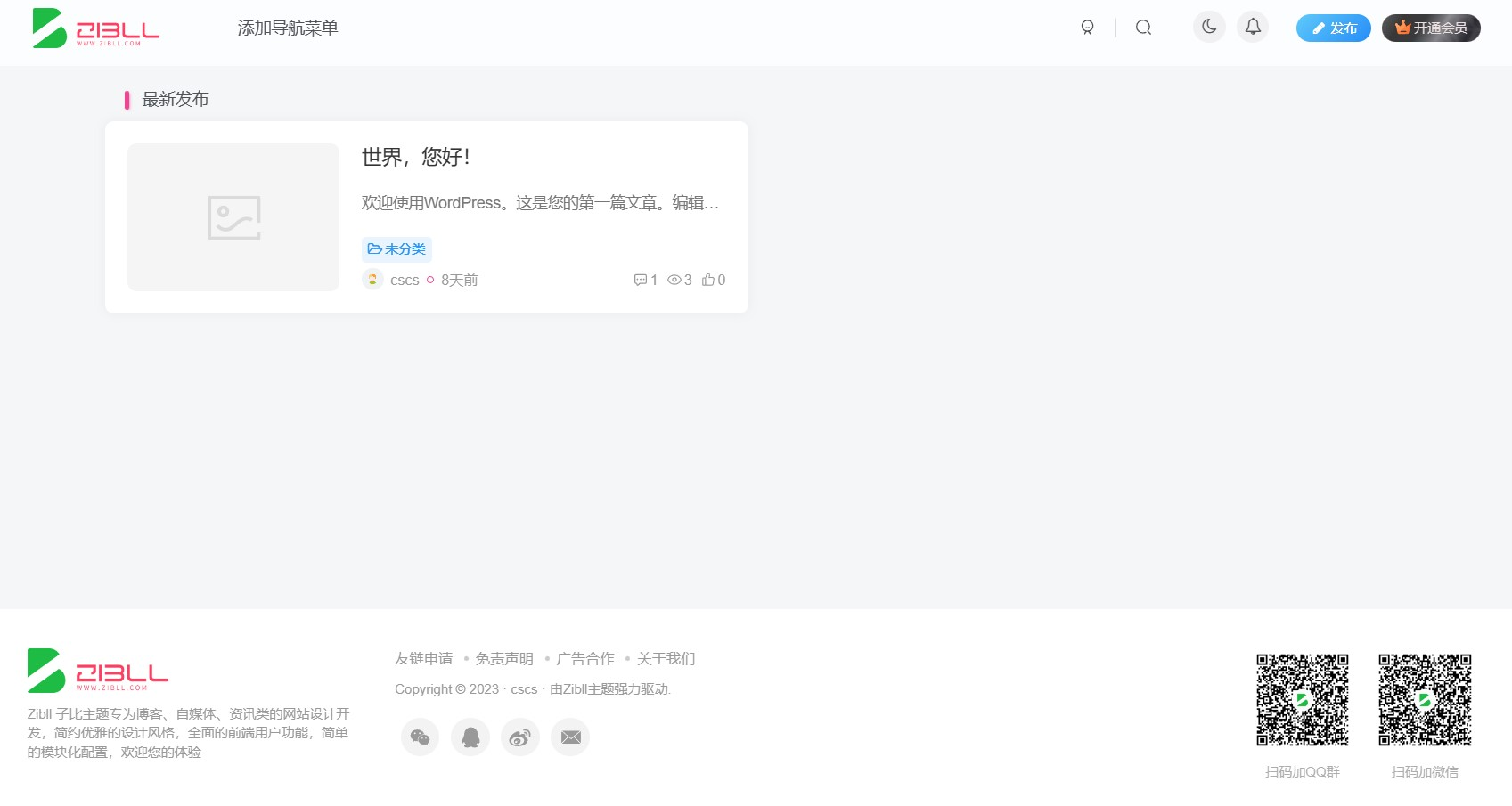
子比 6.8开心版及美化插件 PS:小编只是源码的分享者哦,请大家支持原创,觉得子比主题好用的,还不如去买个正版!但是有的小伙伴们喜欢不用:嘛呢!那我就分享下源码吧~! l3impe05.png图片 安装教程 1、把wp-includes文件夹上传替换到wp根目录下。 2、进入wp后台直接上传主题即可。 目前支持wordpress6.1版本。 子比3.8修复版 下载地址:https://neictop-1256272185.cos.ap-guangzhou.myqcloud.com/2023/01/01/1672544659.zip 提取码: 自比6.8主题测试站打包 下载地址:https://neictop-1256272185.cos.ap-guangzhou.myqcloud.com/2023/01/01/1672544269.zip 提取码: wp-includes.zip 下载地址:https://neictop-1256272185.cos.ap-guangzhou.myqcloud.com/2023/01/01/1672544404.zip 提取码: